Edge AI Data Preprocessing Pipelines: How Smart Vehicles Filter Before They Transmit
Apr 23, 2026 Resolute Dynamics
TL;DR: Connected fleet vehicles throw off a ridiculous amount of raw sensor data that’s far too heavy and expensive to push straight to the cloud. Edge AI preprocessing pipelines run on hardware in the vehicle, clean and interpret those streams in real time, and only send the relevant, compact results.
Done right, you’ll often cut bandwidth by 60–90% while speeding up decisions and improving the quality of what actually reaches your fleet platform.
Key Takeaways
- A single connected vehicle can easily produce 25+ GB of raw sensor data per day. Trying to dump all of that over a 4G/5G backhaul is slow, brittle, and brutally expensive at scale.
- Edge AI preprocessing pipelines sit on in-vehicle compute. They ingest CAN bus raw data stream, OBD-II data extraction, cameras, IMU, and GPS, then filter, aggregate, and infer on-device before any of it hits the cloud.
- With techniques like GPS jitter correction, CAN message decimation, IMU noise gating, and selective camera frame sampling, you routinely shrink data volume by 10× or more without losing the signal you care about.
- Embedded AI platforms such as NVIDIA Jetson and Qualcomm Snapdragon Ride can run real-time inference at the edge, usually with TensorFlow Lite or ONNX Runtime handling the models.
- A hybrid edge–cloud model is what works in real fleets. The edge does the urgent inference, cleaning, and bandwidth optimization. The cloud handles fleet-wide analytics, data lake storage, and ongoing model retraining.
- Well-designed pipelines squeeze cellular backhaul hard. MQTT and smart transmission queues prioritize high-value events and compact summaries over a firehose of raw telemetry.
- Real deployments must juggle power, thermal constraints, and model drift, while keeping OTA updates coordinated across thousands of vehicles that don’t all come online at the same time.
- Vendors like Resolute Dynamics push an event-level transmission mindset. They ship speeding, harsh braking, sign violations, and other interpreted events instead of raw frames, which drastically reduces ongoing connectivity costs.
What Is an Edge AI Data Preprocessing Pipeline?
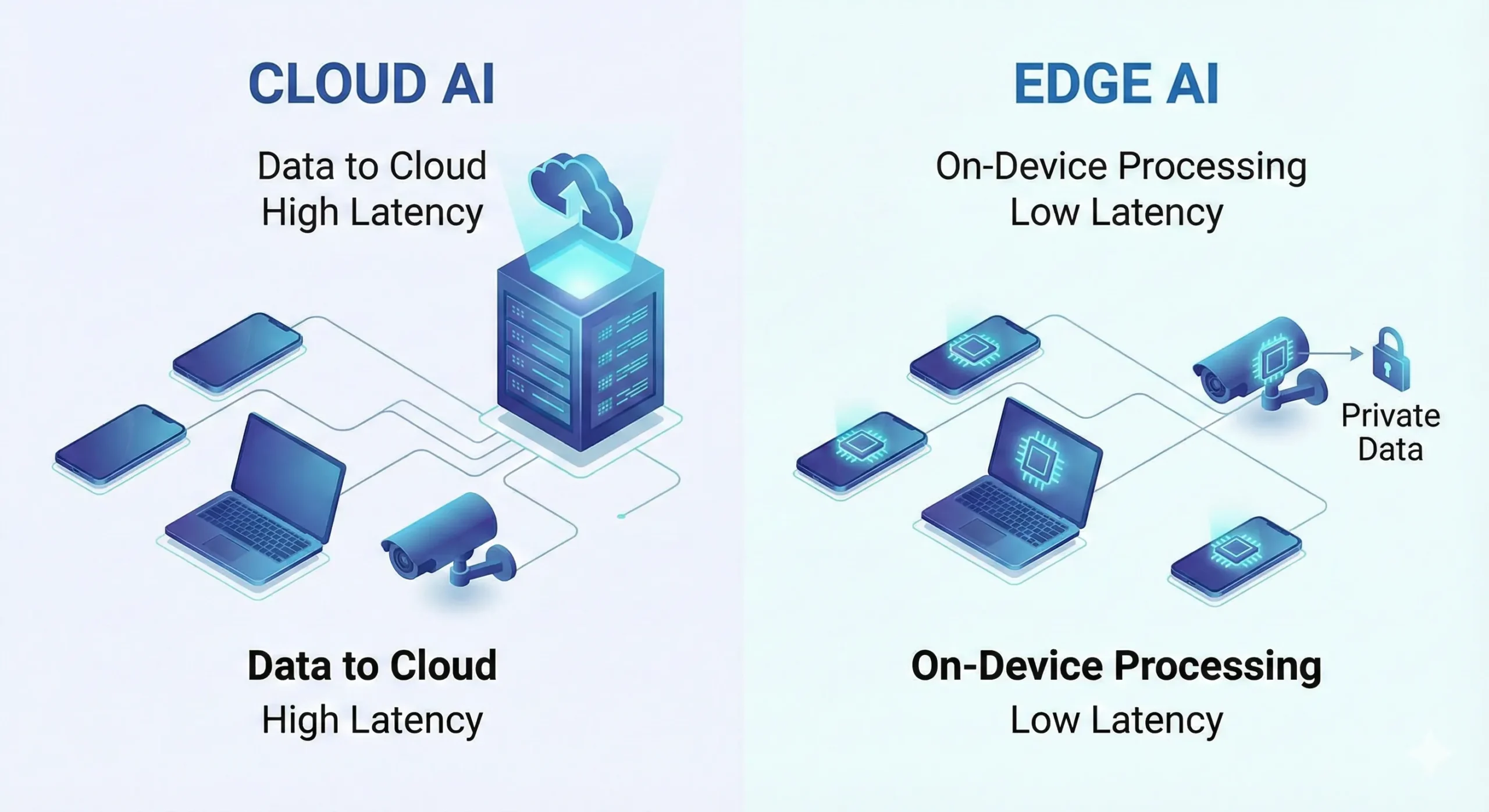
Edge AI data preprocessing pipelines are on-device workflows that live inside the vehicle. Think of them as a mini data refinery bolted into the dash. They take loud, messy sensor streams and turn them into clean, compact, meaningful data before any of it touches your cloud.
- Ingest raw feeds from CAN bus, OBD-II, GPS, IMU, and cameras in real time, with tight timestamping.
- Clean & normalize those feeds using noise filtering, jitter correction, and unit conversion so readings line up and make physical sense.
- Extract features & run inference with edge models to interpret behavior, detect road signs, classify risk, and flag anomalies.
- Prioritize & compress the resulting telemetry, pushing only the high-value slices up to the cloud with minimal bandwidth impact.
The whole point is to reduce data volume and latency while keeping, and often improving, the information you need for safety, compliance, and fleet management decisions.
Why Fleet Vehicles Need Edge AI Preprocessing (The Bandwidth Problem)
A modern fleet vehicle is less a truck and more a rolling sensor rig. In the field, even a basic connected van often runs:
- Multiple HD cameras for front, rear, cabin, and sometimes side coverage.
- A GPS receiver pushing position updates anywhere from 1 to 10 Hz.
- An IMU sampling acceleration and rotation at 50–200 Hz whenever the vehicle moves.
- Engine and vehicle telemetry over a CAN bus raw data stream, plus OBD-II data extraction for diagnostics and standardized PIDs. For a deeper protocol comparison, see our OBD-II vs CAN bus data guide.
Left raw, the numbers get ugly fast. A single forward-facing HD camera at 30 fps can generate hundreds of GB a day if you tried to stream it uncompressed. Even with strong codec compression, a continuous upload is totally unrealistic over a shared 4G/5G cellular backhaul for a whole fleet.
Multiply that by hundreds or thousands of vehicles and you run into three issues almost immediately:
- Bandwidth cost: Per-GB cellular pricing kneecaps any business case if you try to upload everything at full fidelity.
- Latency: Shipping raw data to the cloud for inference means your safety logic waits for a round trip. That’s too slow for live driver coaching or collision mitigation.
- Cloud ingestion bottlenecks: Your backend message brokers, data lake, and analytics stack will choke on unfiltered telemetry, or you’ll overbuild them and pay heavily.
This is exactly why edge computing for fleet vehicles moved from “nice idea” to “table stakes.” Once you run inference at the edge and do smart preprocessing in the cab, your vehicles can:
- Convert raw streams into compact insights such as “harsh braking event at 13:05 near Denver” instead of tens of thousands of IMU and CAN samples.
- Reduce fleet data bandwidth by 60–90% or more, especially for camera-heavy builds.
- Support real-time telematics actions like live speeding alerts, instant driver feedback, or dynamic speed governance.
For deeper protocol specifics, such as CAN frame structure, arbitration IDs, or the details of OBD-II PIDs, tie this pipeline design into your existing documentation or training for your telematics engineers.
How Edge AI Preprocessing Pipelines Work (Architecture Overview)
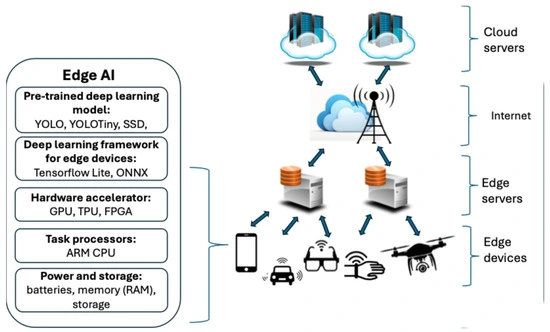
A good edge AI preprocessing pipeline looks a lot like a stripped-down, real-time data platform tucked behind the dash. In practice, you’re usually working with four core layers wired into one continuous flow:
- Sensor ingestion
- Noise filtering & signal conditioning
- Feature extraction & on-device inference
- Prioritization & transmission queueing
Sensor Ingestion Layer (CAN, Camera, IMU, GPS)
The pipeline starts right where the bits appear. On a typical install, you’re pulling in:
- CAN bus raw data stream: Everything from RPM, torque, and throttle angle to brake status, fuel rate, gear, and DTC codes.
- OBD-II data extraction: Standardized PIDs that help with mixed or older fleets where full CAN decoding is either incomplete or vendor-specific.
- Cameras: RGB or IR cameras covering road ahead, cabin, or sides, sometimes with wide dynamic range for night and glare.
- IMU (accelerometer + gyroscope): Fine-grained measurements of harsh braking, aggressive cornering, bumps, and roll angle.
- GPS: Location, speed over ground, and heading, which come in noisy and jumpy, especially in cities.
On platforms like NVIDIA Jetson or Qualcomm Snapdragon Ride, you’ll use vendor SDKs and drivers to bring those feeds into a synchronized buffer. The trick is to lock timestamps across sources so you can do sensor fusion preprocessing later without guessing what happened when.
One mistake I see over and over is skipping proper sensor calibration accuracy. If your camera intrinsics are off or your IMU axes aren’t aligned with the vehicle frame, every downstream model is fighting bad inputs from day one.
Noise Filtering & Signal Conditioning
Raw automotive signals look good in theory. In real trucks, they’re noisy and full of junk. You’ll typically deal with issues like:
- Accelerometers swimming in engine vibration, road chatter, and mounting resonance that mask real driving behavior.
- GPS traces that “teleport” a vehicle sideways by tens of meters because of multipath and poor satellite geometry.
- CAN bus spitting high-rate frames for internal control loops that mean little for high-level analytics.
This stage focuses on cleaning that mess up. Common steps include:
- Noise filtering accelerometer: Using low-pass or band-pass filters to cut out high-frequency vibration and keep the kind of motion that actually signals harsh events or crashes.
- GPS jitter correction: Applying filters such as Kalman filtering to smooth positional noise, and fusing velocity or IMU where possible.
- CAN message normalization: Translating raw counts into real units, checking for malformed frames, and dropping obviously bad or redundant messages.
- Camera preconditioning: Resizing frames, converting color space, and cropping to regions of interest like lane markers or the driver’s face so later models run faster and cheaper.
Once this stage is done, your sensor feeds are cleaner, align better in time, and compress more efficiently. Your models stop wasting effort on nonsense and your pipeline starts behaving predictably across environments.
Feature Extraction & On-Device Inference
Now you stop babysitting raw streams and start extracting meaning. Pushing every sample to the cloud is a losing game, so the pipeline pulls out features and often runs models on the spot. Most real fleets lean on:
- TensorFlow Lite for small, quantized models that run on embedded CPUs or NPUs with tight power budgets.
- ONNX Runtime to deploy portable models across NVIDIA Jetson edge platforms, Qualcomm SoCs, and other ARM-based hardware with minimal rewrites.
Typical things you compute in this layer include:
- Feature extraction on-device from IMU data, such as peak deceleration during events, jerk profiles, or cumulative lateral G-force by time window.
- Video-based inference to spot lane departure, tailgating, rolling stops, or driver distraction like phone use or eyes off the road.
- Sensor fusion models that blend GPS, IMU, and CAN to infer road grade, payload behavior, or overall driving style patterns.
Using model quantization embedded, for example 8-bit integer weights, keeps models small, boosts throughput, and cuts power. In practice, that’s how you get power-constrained inference running reliably on a 12V system without cooking the hardware or draining the battery.
Prioritization & Transmission Queue
Even after all that cleaning and inference, you still don’t want to ship everything. The last layer answers two questions: what’s worth sending and when should we send it?
- Data prioritization in the transmission queue: Crashes, near misses, serious speeding, or tampering go to the front of the line. Routine heartbeat data waits its turn.
- Lossy vs lossless compression telemetry: Trend data and aggregates can be lossy or coarse-grained. Regulatory and compliance signals usually need lossless treatment and predictable sampling.
- Bandwidth optimization over cellular: The device monitors signal quality, carrier rules, and quotas, then adjusts send rates, batch sizes, and compression levels on the fly.
Most deployments use the MQTT protocol for day-to-day messaging over 4G/5G cellular backhaul. It keeps overhead low, and its QoS levels let you choose which messages must be confirmed vs which can be fire-and-forget.
If you integrate this with an existing cloud platform, treat the edge as another microservice tier. It feeds your message broker, data lake, and dashboards, but in a filtered, structured way instead of dumping raw firehose streams on them.
Key Preprocessing Techniques for Fleet Sensor Data
GPS Signal Cleaning
Raw GPS is fine on a clear highway. In city cores or canyons, it lies to you constantly. If you’re trying to do speed governance, geofencing, or route optimization, you can’t just trust the chip’s output.
So on-vehicle GPS handling usually looks like this:
- GPS jitter correction with Kalman filtering: A Kalman filter marries your last good position, estimated velocity, and often IMU readings into a smoother trajectory that doesn’t hop around on the map.
- Update rate control: There’s no point logging 10 Hz positions for a delivery truck crawling through traffic if your use case doesn’t need it. Dropping to 1 Hz or even slower saves bandwidth and storage.
- Tunnel/urban canyon handling: When GPS vanishes, you switch into dead reckoning using IMU and speed from CAN until satellites lock again. It won’t be centimeter accurate, but for fleet telematics it’s usually plenty.
Done well, this gives you:
- Better jitter reduction accuracy, cutting those 10–20 m jumps down to something in the 3–5 m range most of the time.
- Smoother paths that compress more efficiently and give much cleaner analytics for things like stop detection and route adherence.
CAN Bus Message Filtering
The CAN bus wasn’t designed with cloud billing in mind. It blasts out all sorts of internal state at high rates. A lot of that is great for ECUs and almost useless for your cloud analytics.
CAN bus message filtering on the edge keeps the gold and throws away the gravel. Common tactics include:
- Data decimation: Instead of logging a coolant temperature PID 10 times a second, you might sample it every 10 seconds unless something looks abnormal.
- Critical PID retention: Speed, brake status, RPM, DTCs, and similar signals stay at higher rates because they feed safety logic and regulatory reporting.
- Event-triggered bursts: If you spot harsh braking, a collision, or a stability control event, you briefly capture higher-rate CAN data around the incident for post-mortem analysis.
In practice, this trims CAN-related data volume by well over 80% in most fleets while keeping everything you actually need for maintenance, compliance, and behavior scoring. To figure out exactly which PIDs you care about, you’ll need your OEM docs and some reverse engineering for proprietary signals.
Camera Frame Selection
Video is the bandwidth hog in the room. If your design just forwards camera streams to the cloud, your cellular bill will hurt and your uploads will constantly lag or fail.
Edge AI pipelines treat the camera as a sensor, not a streaming device. A typical approach is to:
- Run real-time edge inference for vehicles on a subset of frames, for example 10 fps or even lower, using TensorFlow Lite or ONNX Runtime models.
- Sample frames adaptively: Increase frame sampling and inference during risky behavior like tailgating or lane weaving, then slow down again once driving stabilizes.
- Transmit event clips only: If the model flags distraction, a collision, or a serious near miss, the device saves and uploads a short clip around the event plus metadata. Everything else stays local.
This pattern gives safety teams and insurers the footage they need without drowning your backhaul. For many fleets, adaptive sampling and event-only uploads are the single biggest bandwidth win.
IMU Noise Gating
IMUs spit out high-frequency data that’s noisy and hard on storage. If you upload everything, you end up paying a lot to store road vibration.
Noise gating solves this by focusing on what matters:
- Using frequency-domain filtering to knock out vibrations and engine harmonics that don’t signal behavior.
- Watching for thresholds, such as deceleration below -3 m/s², that hint at harsh braking, impacts, or rollovers.
- Aggregating into features like mean, variance, peaks, and jerk over short windows, then sending just those derived values.
Those higher-level features plug directly into driver behavior models on the edge or in the cloud. You get cleaner scoring while cutting IMU data volume to a fraction of the raw feed.
Edge Hardware for Fleet AI: Comparing Embedded Platforms
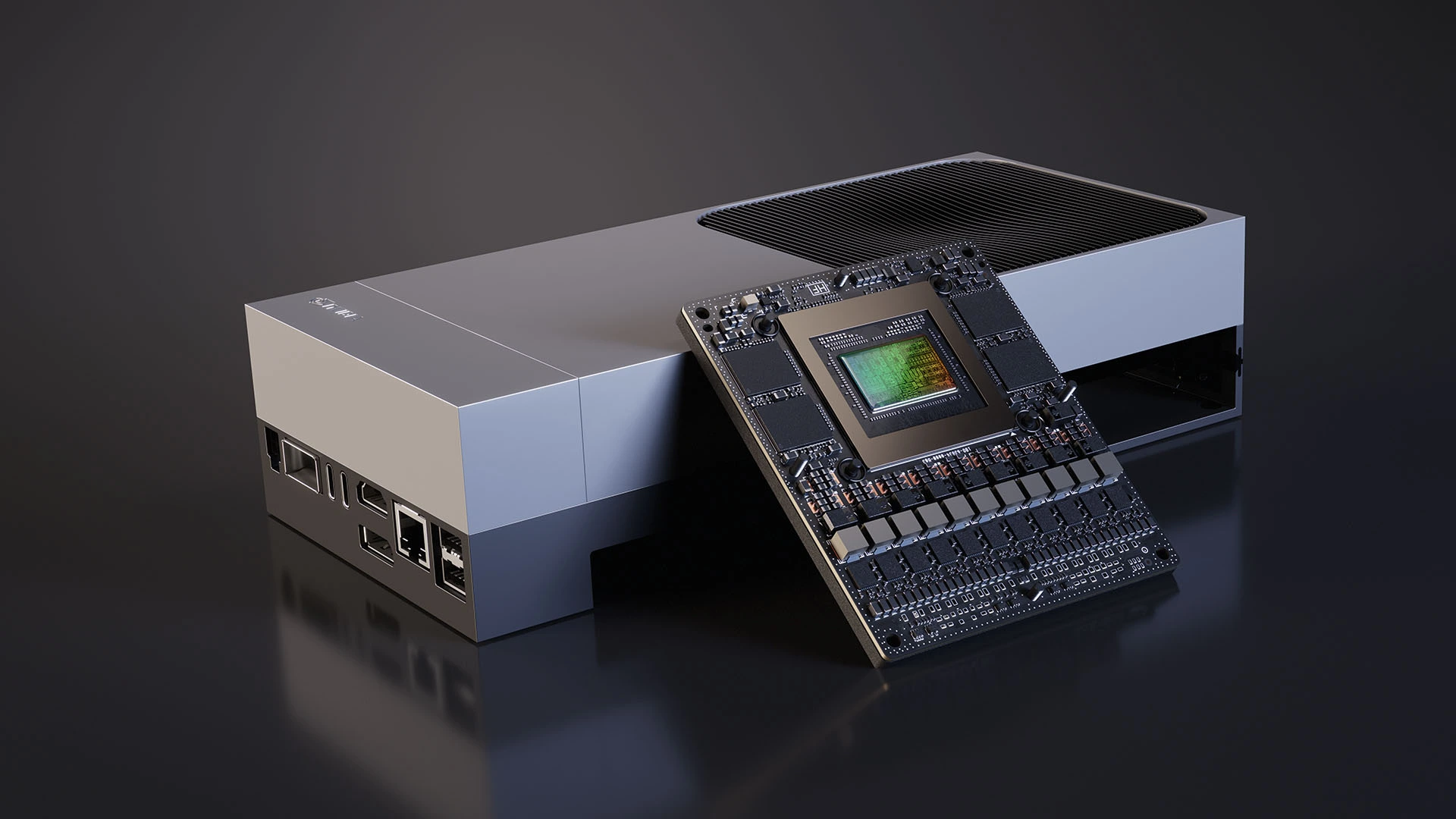
Your edge AI pipeline can only run as hard as your hardware allows. In a 12V vehicle world, you’re always trading between performance, power, heat, and cost. The right answer often differs by vehicle class and use case.
- AI performance (TOPS): Sets the upper limit for how many models and how much video you can handle in real time.
- Power envelope (watts): Must live comfortably inside your 12V budget without draining batteries or blowing fuses.
- Thermal constraints: The more power you burn, the more heat you have to dump in a cramped, often sun-baked cabin.
- Deployability and cost: Hardware that’s easy to mount, cool, and update at scale will save you headaches later.
The table below gives a practical snapshot of how common platform choices compare for fleets:
| Platform | AI Performance (TOPS) | Typical Power (Watts) | Form Factor / Deployability | Best For |
|---|---|---|---|---|
| NVIDIA Jetson edge platform | 10–100+ TOPS (model-dependent) | 10–30 W typical | Compact module with heatsink, usually needs good airflow or solid conduction cooling | Vision-heavy fleets, multi-camera setups, complex sensor fusion workloads |
| Qualcomm Snapdragon Ride | 10–100+ TOPS (ADAS-class variants) | 5–20 W typical | Automotive-grade SoC designed for ADAS and autonomy, integrates cleanly into OEM designs | Balanced telematics + ADAS features, OEM and Tier-1 embedded integrations |
| ARM Cortex-M MCUs | < 1 TOPS (often far less) | < 1 W | Very small boards, trivial thermal management, easy to tuck anywhere | Simple preprocessing, low-rate inference, basic telematics and rule engines |
NVIDIA Jetson is the workhorse option if you need serious camera-based AI. Multi-camera driver monitoring, ADAS-like perception, and rich sensor fusion all fit here, provided you respect its power envelope and cooling requirements. It tends to make the most sense on larger commercial vehicles or specialty rigs with more electrical headroom.
Qualcomm Snapdragon Ride hits a sweet spot where you want automotive-grade integration and efficient AI accelerators tied into an ADAS stack. You see it more in OEM-level designs than aftermarket retrofits, but for new production programs it’s a strong fit.
ARM Cortex-M and similar tiny MCUs shine as supporting actors. They’re perfect for edge AI preprocessing pipeline tasks like CAN filtering, IMU feature extraction, and basic thresholds. For heavy video work they pair nicely with a bigger module rather than trying to do everything themselves.
One practical tip a lot of teams miss:
- Design your pipeline so it can scale down gracefully. Start with a reference architecture that can run flat-out on Jetson, then define “lite” modes that run on Cortex-M or lower-end SoCs for vehicles that only need basic telematics.
Cloud vs Edge vs Hybrid: Where Should Preprocessing Happen?
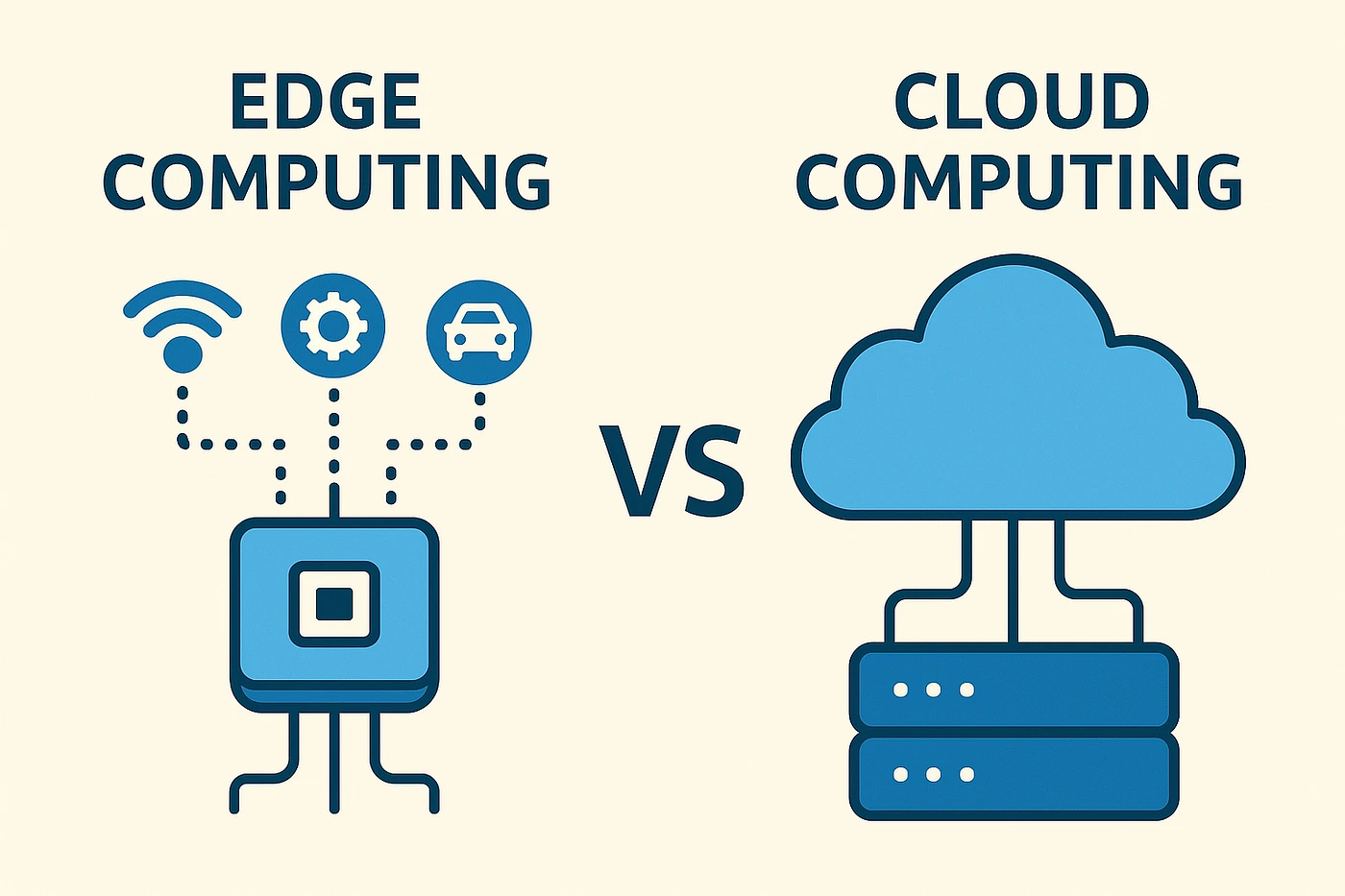
There’s an old habit in telematics of treating the vehicle as a dumb logger and the cloud as the brains. That’s starting to backfire as data rates climb. You really have three patterns to think through.
Cloud-Centric (Legacy) Approach
In a cloud-heavy design, your devices stay simple. They log early and often, then stream raw or barely processed data back to a central platform where all the AI lives.
- Pros: Simple hardware and firmware in the vehicle, easy to iterate models and logic centrally, massive compute available in the cloud.
- Cons: High recurring bandwidth and storage costs, slow or unreliable reactions if cellular drops, and potential backhaul congestion when many vehicles push at once.
Edge-Centric Approach
Here you flip the script. The vehicle runs most of the logic and sends up compact summaries and events instead of raw feeds.
- Pros: Lower data footprint, snappy latency for safety actions, and better data privacy because sensitive raw streams rarely leave the vehicle.
- Cons: Edge hardware gets pricier and more complex, and if your OTA process is weak, models in the field can get stale relative to current conditions.
Hybrid Edge–Cloud Approach (Recommended)
Most serious fleets end up here because it balances cost, performance, and flexibility. In a hybrid model you divide the work:
- Edge: Handles ingestion, noise filtering, feature extraction, and real-time safety inference. It also takes point on bandwidth optimization and event-level uploads.
- Cloud: Aggregates summaries and samples for model retraining, runs heavier analytics across the whole fleet, and supports deep dives like route risk scoring and driver benchmarking.
Runtimes like AWS IoT Greengrass and Azure IoT Edge give you a framework for pushing workloads down into the vehicle, monitoring them, and wiring results straight into your existing cloud stack. They don’t do the engineering for you, but they keep the plumbing consistent.
If you’re already on a multi-cloud or hybrid-cloud setup, treat edge workloads as a new layer in that architecture. Decide early which tasks must be real-time at the edge and which can wait for batch processing in your cloud data pipeline.
How Resolute Dynamics Implements Edge AI in the Capture Module
The Resolute Dynamics Capture module is a concrete example of these ideas wired into a production device. It’s built specifically for fleet vehicles, not as a lab toy, so the architecture reflects real-world tradeoffs around power, heat, and cellular costs.
On-Device Sensor Fusion and AI Vision
On a typical install, Capture pulls from:
- Road-facing and in-cabin cameras for sign detection and driver monitoring.
- CAN/OBD-II streams for core driving signals like speed, throttle, and brake pressure.
- IMU readings to identify harsh maneuvers, bumps, and vehicle attitude changes.
- GPS traces for geofencing, mapping, and speed-over-ground validation.
Running on embedded hardware such as NVIDIA Jetson or similar NVIDIA Jetson edge platforms, Capture uses a mix of TensorFlow Lite and ONNX Runtime models to:
- Read and interpret road signs like speed limits and stop signs, even under varying lighting and weather.
- Spot risky driver behaviors, such as distraction, phone use, and not looking at the road.
- Flag harsh events like abrupt braking, aggressive cornering, or impacts that may indicate a collision or near miss.
All of this runs without needing a round trip to the cloud, which is why speed governance and real-time alerts remain responsive even in patchy coverage.
Event-Level Data Transmission
The key design choice is what Capture sends upstream. Instead of shoveling hours of video and raw sensor streams at your servers, the pipeline:
- Builds a structured event, for example “Driver exceeded posted speed limit by 12 mph at 14:03:12, 0.2 miles after sign,” with supporting telemetry.
- Optionally attaches a short video snippet for context, then ships that package via the MQTT protocol over 4G/5G cellular backhaul.
- Uses data prioritization in the transmission queue so critical safety events jump ahead of routine statistics or daily summaries.
With this approach, fleets get near-live speed governance decisions and detailed incident records while keeping monthly cellular spend sane. It’s a solid reference pattern if you’re designing your own edge AI telematics stack.
Implementation Challenges: Power, Heat, and Model Drift
On paper, edge AI preprocessing pipelines look clean. Inside a fleet, they run into the ugly parts of automotive engineering. Three problem areas show up on almost every deployment I’ve seen.
Power Budget Constraints
Your devices ride on a 12V rail, but that doesn’t mean you can burn power freely. If you ignore power, drivers will tell you the system “kills batteries” or shuts off randomly. A realistic design has to:
- Stay within a conservative power envelope (watts), usually under 15–20 W for add-on units to leave headroom for other accessories.
- Keep ignition-off draw extremely low so vehicles can sit for days without the device draining the starter battery.
- Throttle frame rates or disable non-critical inference when the engine is off or voltage is sagging.
A good pattern is to define power states. Your edge AI preprocessing pipeline runs full tilt while driving, pares back during idle, and drops to a bare-minimum heartbeat when the ignition is off. That avoids surprise dead batteries and angry drivers.
Thermal Throttling and Environmental Limits
Under the dash or up by the mirror is not a friendly place for electronics. Real cabins see wide operating temperature ranges, often -40°C winter starts up to cab interiors baking over 70°C in direct sun.
If you don’t engineer for that, you’ll see:
- Thermal throttling where CPUs and GPUs clock themselves down to stay alive, lengthening inference time right when you need it fast.
- Premature hardware failure as components live above their rated temperatures for long stretches.
The fixes are straightforward but non-negotiable:
- Use passive or active cooling sized for your worst-case workload, especially on high-power NVIDIA Jetson edge platforms.
- Implement thermal-aware control logic that trims frame rates, pauses non-critical models, or changes sampling when sensors report rising temperatures.
Model Drift and OTA Updates
Models don’t age gracefully on their own. Roads change, regulations shift, OEMs tweak vehicle behavior, and drivers adapt their habits. That all feeds into model drift, where accuracy slowly degrades even if nothing “breaks” suddenly.
To keep edge inference honest, you need a repeatable loop:
- Sample representative telemetry and labeled events back into the cloud, under tight privacy controls.
- Retrain and validate new models on those datasets, including corner cases you missed earlier.
- Compress and re-quantize where needed, then push updated models through your OTA mechanism.
The nitty-gritty of OTA firmware updates for edge devices and safe rollout strategies could fill its own manual. The short version is you need that pipeline designed from day one, not bolted on after hundreds of units are already in the field.
Edge AI Preprocessing Pipelines: Example Specs (EAV View)
Edge AI Preprocessing Pipeline – Typical Attributes
Here’s a rough EAV-style profile of what you see in real deployments. These are ballpark figures, but they give a sense of scale for capacity planning.
| Attribute | Typical Value | Notes |
|---|---|---|
| Data reduction ratio (%) | 60–90% | Skews higher when you move from raw video to event clips, lower on sensor-only systems. |
| Latency improvement vs cloud (ms) | 100–500 ms | Edge decisions avoid round-trip network delays and cloud processing queues. |
| Power consumption (watts) | 5–20 W | Driven by platform choice, number of cameras, and how many models you run concurrently. |
| Inference throughput (TOPS) | 1–50 TOPS used | Heavier perception stacks on multi-camera rigs will occupy the higher end of this bracket. |
| Supported sensor inputs | CAN/OBD-II, GPS, IMU, cameras | Advanced systems may add radar or LiDAR for high-end ADAS-like functions. |
NVIDIA Jetson Platform – Edge Fleet Profile
To make Jetson planning concrete, here’s how it typically looks in fleet environments.
| Attribute | Example Value | Relevance for Fleets |
|---|---|---|
| AI performance (TOPS) | Up to 100+ TOPS (high-end) | Lets you run multiple vision and fusion models at once, for example driver monitoring plus road perception. |
| Power envelope (watts) | 10–30 W | Needs thought around 12V supply design and how long you’ll run at peak load. |
| Form factor (dimensions) | Credit-card–sized modules | Fits easily behind dashboards or inside purpose-built enclosures. |
| Operating temperature (°C range) | Typically -25 to +80°C (module-dependent) | Must be matched with enclosure and cooling to survive cabin extremes. |
| Fleet deployment suitability | High | Great match for camera-heavy fleets and advanced AI where cost and power budgets allow. |
CAN Bus Data Filtering – Impact Profile
Here’s what CAN bus filtering usually buys you in numbers:
| Attribute | Before Filtering | After Filtering |
|---|---|---|
| Raw message rate (messages/s) | 500–1,000 | 50–200 (post-decimation) |
| Bandwidth saving (%) | – | 60–80% |
| Critical PID retention | N/A | Speed, brake status, RPM, and DTCs held at higher fidelity |
| Latency impact (ms) | ~0 | < 10 ms for most filtered streams, effectively real time |
GPS Kalman Filtering – Performance Snapshot
GPS Kalman filtering looks light on CPU but heavy on benefit. Typical profile:
| Attribute | Typical Value | Notes |
|---|---|---|
| Jitter reduction accuracy (meters) | Improvement from 10–20 m jumps to ~3–5 m | Depends on sky view, urban canyons, and how well you fuse IMU and speed. |
| Update rate (Hz) | 1–10 Hz | Configured per use case and vehicle speed profile. |
| Computational cost (CPU cycles) | Low to moderate | Comfortably fits within common embedded CPU budgets. |
| Cold start correction time (seconds) | 10–60 s | Once the filter converges with a solid satellite lock, accuracy improves. |
| Tunnel/urban canyon handling | Dead reckoning with IMU + vehicle speed | Bridges GPS gaps in a physically plausible way. |
Cellular Backhaul Optimization – Fleet Economics
To get a feel for the dollars, here’s a simple backhaul profile many fleets land near:
| Attribute | Typical Value | Impact |
|---|---|---|
| Raw data volume per vehicle per day | 25+ GB | Combination of cameras, GPS, IMU, and full-rate CAN feeds. |
| Post-preprocessing volume | 200–800 MB | Heavily influenced by video policy, event rates, and aggregation settings. |
| Compression ratio (×) | ~30–100× | Going from raw streams to event-level data and aggregates. |
| Transmission cost saving (%) | 60–90% | Often higher for video-heavy builds that lean on event clips. |
| Protocol used | MQTT/HTTPS | MQTT for frequent, small telemetry; HTTPS for periodic bulk uploads. |
Common Mistakes When Designing Edge AI Pipelines (and How to Fix Them)
- Mistake 1: Treating the vehicle as a “dumb logger.”
Dumping everything to the cloud and hoping to sort it out later leads to insane data bills, slow alerts, and backend pain.
Fix: Push cleaning, feature extraction, and first-pass inference into the vehicle so the cloud mostly sees compact events rather than raw streams. - Mistake 2: Overfitting hardware to a single use case.
Standardizing on a high-end Jetson-style platform for every unit, even where you only need basic telematics, wastes money and power.
Fix: Segment your fleet into capability tiers and build a scalable architecture that can run across multiple hardware profiles without a rewrite each time. - Mistake 3: Ignoring sensor calibration and synchronization.
If timestamps don’t line up or sensors aren’t calibrated, sensor fusion falls apart and models misinterpret what’s going on.
Fix: Treat sensor calibration accuracy and consistent time sync across CAN, GPS, IMU, and cameras as first-class engineering tasks, not afterthoughts. - Mistake 4: Neglecting thermal and power constraints.
Designing a pipeline that runs fine on the bench but overheats, throttles, or drains batteries in the field is a common failure mode.
Fix: Model and test real-world power and temperature, then add dynamic scaling of inference load and proper cooling into the design. - Mistake 5: One-time model deployment.
Shipping models once and assuming they’ll stay accurate for years ignores how roads, laws, and drivers change.
Fix: Build a regular retraining and redeployment cadence, integrated with your OTA firmware updates for edge devices so you’re not stuck with stale intelligence. - Mistake 6: Not planning for hybrid workflows.
Architectures that hardwire everything either to the vehicle or to the cloud are painful to evolve later.
Fix: Decide from day one which computations are real time and which are batch, and use platforms like AWS IoT Greengrass or Azure IoT Edge to orchestrate both sides cleanly.
FAQ: Edge AI Data Preprocessing for Fleet Vehicles
How much bandwidth can edge AI preprocessing really save?
On real fleets, not lab demos, well-built pipelines routinely reduce transmitted data by 60–90%. Video-heavy builds that push only event clips save the most. Your exact number hinges on how often cameras run, how aggressive your sampling is, and how far you go with CAN and IMU aggregation.
Is edge processing more expensive than a cloud-only approach?
You’ll spend more up front on capable edge hardware than on barebones loggers. Over a 3–5 year horizon though, lower cellular and cloud ingestion costs plus fewer incidents and better safety usually win out. The TCO math tends to favor a hybrid edge–cloud setup once your fleet grows past a pilot.
How long does edge AI hardware last in a vehicle?
With automotive-grade components, sensible cooling, and a sane power envelope (watts), edge devices commonly run 5–7 years or more. That lines up with most fleet replacement cycles. Designs that ignore heat and voltage spikes cut that lifetime short, so spend the time to get those right.
How often should we update edge AI models?
A lot of fleets settle on annual or semi-annual model updates. Fast-changing environments or use cases where accuracy is tightly tied to safety sometimes move to quarterly. Watch your performance metrics over time and tighten the cadence if you see drift set in.
Does edge preprocessing improve data privacy?
Yes. By keeping raw video and fine-grained time series on the vehicle, and sending only interpreted events and aggregates, you cut down the amount of personally identifiable or sensitive data in the cloud. That makes privacy compliance and risk management noticeably easier.
Can we run the same models on NVIDIA Jetson and Snapdragon Ride?
In many cases you can. If you train models, export them to ONNX, and run them through ONNX Runtime with the right hardware accelerators, you can share most of the model code. You’ll still need some platform-specific tuning, like quantization settings and runtime flags, to hit good performance on each.
How does edge AI interact with our existing fleet data infrastructure?
Think of edge AI as a smarter front-end for your platform. It reduces load on your cloud ingestion layer by sending structured, high-value data instead of raw feeds. You’ll keep using the same brokers, lakes, and analytics tools, but the data that hits them will be leaner and more informative.
Where can we learn more about CAN vs OBD-II and OTA strategies?
For CAN vs OBD-II signal sourcing and decoding, lean on your OEM documentation, J1979 references, and internal tools. For large-scale OTA and model rollout, look at vendor docs from your chosen cloud provider along with best practices from automotive-grade update frameworks that support staged rollouts and rollback.
Final Summary & Next Steps
Edge AI data preprocessing pipelines are quickly becoming the standard approach for serious connected fleets. Moving from “log everything and sort it out in the cloud” to an event-centric, filtered model lets you:
- Cut cellular backhaul usage by 60–90% without losing the insights that matter.
- Improve decision latency by hundreds of milliseconds, which matters for live coaching and safety.
- Deliver real-time, safety-critical telematics without burying your cloud stack in irrelevant data.
Most practical builds lean on platforms like NVIDIA Jetson or Qualcomm Snapdragon Ride, frameworks such as TensorFlow Lite and ONNX Runtime, and orchestrators like AWS IoT Greengrass and Azure IoT Edge. The successful ones also respect 12V power budgets, cabin heat, and the reality that hardware needs to run in the field for years.
As you shape or refactor your own solution, focus on three things:
- Decide which signals and models absolutely have to run at the edge for safety, latency, and bandwidth reasons.
- Map hardware capability to vehicle class so you’re not overspending on light use cases or underpowering heavy ones.
- Design hybrid pipelines and an OTA strategy that can evolve alongside your fleet data infrastructure instead of painting you into a corner.
If you’re ready to move beyond simple logging and into true edge intelligence, start by defining the specific decisions that need real-time, on-vehicle insight. From there, build your architecture, hardware choices, and cloud integration around getting those decisions right, quickly, and at scale.